

Create Website Backgrounds with Spectra
Generate unique hero images, section dividers, and page backgrounds for any web project
Best Styles for Web Backgrounds
Not every generative art style works equally well as a website background. The best choices create visual interest without competing with your foreground content.
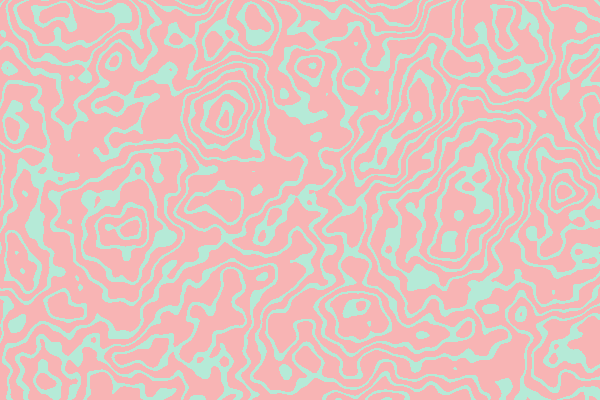
For hero sections and landing pages, try Gradient Mesh, Bokeh, or Plasma — these produce smooth, organic color fields that look professional at any size. For subtle textures, Perlin Noise and Caustics add depth without distraction. Topographic and Waves work beautifully as section dividers with their flowing line patterns.
Avoid highly detailed styles like Circuit Board or Stained Glass for text backgrounds — they create visual noise that hurts readability. Save those for decorative elements or standalone artwork.





Matching Your Brand Colors
Spectra's seed color picker and harmony modes make it easy to generate backgrounds that align with your brand palette.
Start by entering your primary brand color as the seed color. Then choose a harmony mode based on the mood you want: Monochromatic creates elegant, single-hue backgrounds that never clash. Analogous produces warm, cohesive color schemes that feel natural. Complementary adds energy with contrasting tones, ideal for call-to-action sections.
For a professional, muted look, pick a desaturated seed color. For vibrant marketing pages, use a fully saturated seed color and let the harmony mode generate bold palette variations.
Size Presets for Web Layouts
Choose your dimensions to match common web layout needs. Use 1920 x 1080 for full-width hero images that look sharp on most desktop screens. For Open Graph and social share previews, 1200 x 630 is the standard size.
For high-DPI or Retina displays, generate at 2560 x 1440 or larger to prevent blurriness on modern screens. If you need a tiling background, try smaller dimensions like 512 x 512 with styles such as Truchet, Grid, or Checkerboard.
Use the blur slider at values between 2 and 4 to soften backgrounds intended for text overlays. This keeps the visual interest while ensuring your content stays readable.
Seed Sharing for Design Teams
Every Spectra image is fully reproducible. When you find a background you like, use the share button to copy a link that encodes all your settings — style, dimensions, seed number, color harmony, and blur level.
Anyone who opens that link sees the exact same image. This makes it easy to coordinate backgrounds across a team: share one base configuration, and team members can adjust individual parameters while keeping the overall look consistent.
For multi-page websites, try keeping the same seed and harmony mode while varying only the style. This creates a family of backgrounds that feel cohesive because they share the same color palette.