

Understanding Sample Rate in Audio
How sample rate affects audio quality and frequency reproduction
Generates 10 kHz tone at 44.1 kHz sample rate
What is Sample Rate?
Sample rate determines how many times per second audio is captured. Higher rates can reproduce higher frequencies, but create larger files. The Nyquist theorem states that to accurately reproduce a frequency, the sample rate must be at least twice that frequency.
See It In Action
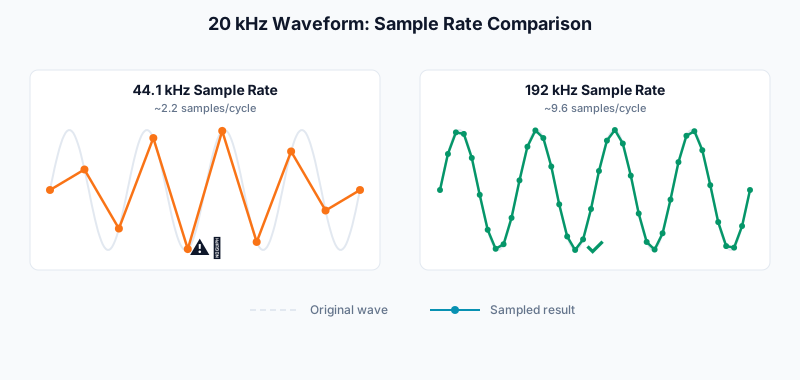
The diagram below shows how sample rate affects waveform capture. At lower sample rates, high-frequency waves appear jagged due to fewer samples per cycle.
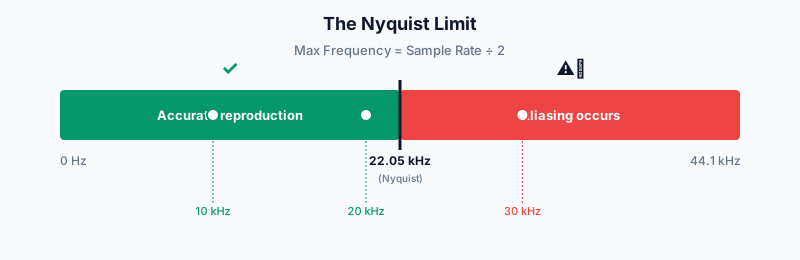
The Nyquist Limit
The Nyquist-Shannon theorem: To faithfully reproduce a frequency, you need a sample rate at least twice as high. Human hearing tops out around 20 kHz, which is why 44.1 kHz (just over 2x) became the CD audio standard.
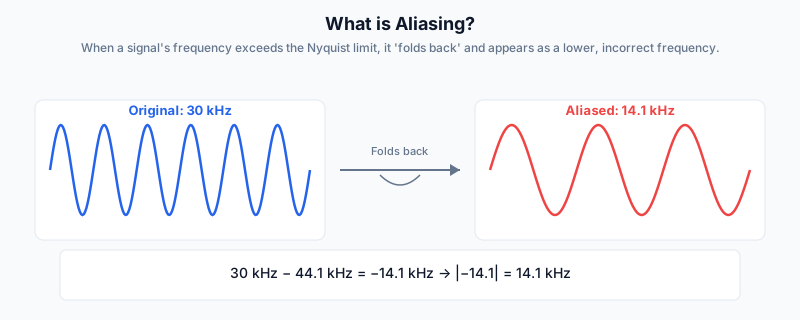
What is Aliasing?
When a signal's frequency exceeds the Nyquist limit, it 'folds back' and appears as a lower, incorrect frequency.
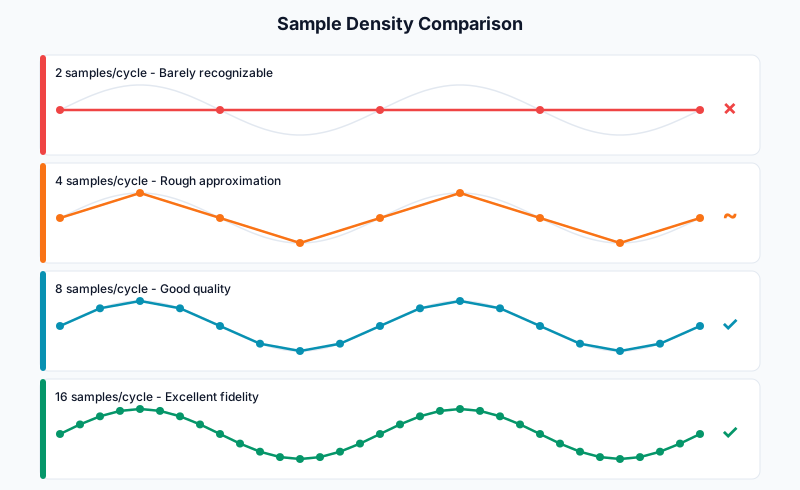
Samples Per Cycle
The more samples captured per wave cycle, the more accurately the waveform can be reconstructed. Here's how different sample densities affect quality:
Common Sample Rates
| Sample Rate | Common Use | Max Frequency |
|---|---|---|
| 44.1 kHz | CD Audio, Music Streaming | 22,050 Hz |
| 48 kHz | Video, DVD, Professional Audio | 24,000 Hz |
| 96 kHz | High-Resolution Audio, Mastering | 48,000 Hz |
| 192 kHz | Studio Recording, Archival | 96,000 Hz |
How to Compare Sample Rates
- Set a high frequency (10-15 kHz) to hear differences
- Select different sample rates from the dropdown
- Download WAV files at each rate to compare file sizes
- Notice how higher sample rates create larger files