

Music Tone Generator - Tune Your Instrument
Use reference tones to tune guitar, bass, violin, and more
Generate A440 Reference Tone
Opens with standard A4=440 Hz concert pitch
Why Use a Tone Generator for Tuning?
A tone generator provides precise reference pitches that help you tune your instrument by ear:
- Pure sine waves produce clean, unambiguous reference tones
- Adjust volume to match your playing level for accurate comparison
- Works offline in any browser—no app installation needed
Standard Guitar Tuning (EADGBE)
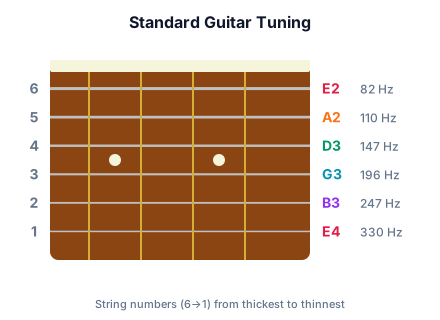
| String | Note | Frequency |
|---|---|---|
| E2 (6th string, low) | E2 | 82.41 Hz |
| A2 (5th string) | A2 | 110.00 Hz |
| D3 (4th string) | D3 | 146.83 Hz |
| G3 (3rd string) | G3 | 196.00 Hz |
| B3 (2nd string) | B3 | 246.94 Hz |
| E4 (1st string, high) | E4 | 329.63 Hz |
How to Tune by Ear
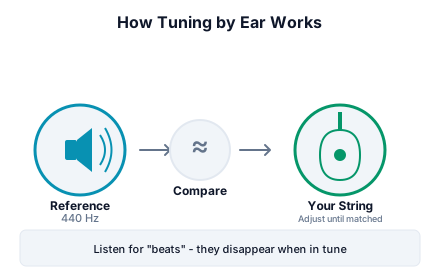
- Click a frequency below to start the reference tone
- Play the corresponding string on your instrument
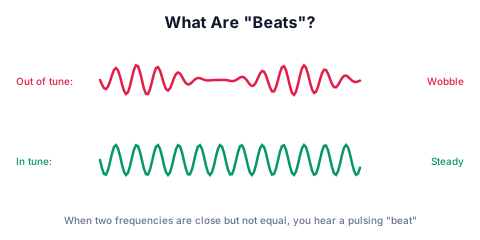
- Listen for 'beats' (wavering sound) when both tones are close
- Adjust tuning until beats disappear (tones match)
Pro Tip: Use continuous mode for tuning so you can adjust with both hands free.
References & Further Reading
- Guitar Tuning Database. "Standard Tuning (EADGBE)" - Comprehensive reference for guitar tuning frequencies. GTDB
- Wikipedia. "Guitar tunings" - Overview of standard and alternate guitar tunings. Wikipedia
- Wikipedia. "Musical tuning" - History and science of musical tuning systems. Wikipedia
- Orangewood Guitars. "Tuning 101: Standard and Alternate Tuning for Beginners" - Practical guide to guitar tuning. Orangewood
Ready to Generate Tones?
Generate A440 Reference Tone
Advertisement